
















No products in the cart.

Shop this story
4 gadgets and phone tools that cut tiny admin chores back to size
by Joseph L
If you’re hunting for gadgets to reduce daily admin, you’re probably not dreaming about a smarter home. You just want fewer stupid interruptions: the password reset, the missing receipt, the form you know you saved somewhere. For a tech-weary renter, those tiny chores don’t feel tiny when they keep breaking your evening into little pieces.
The time loss rarely looks dramatic, so it survives for months as background friction, and every fix seems to demand one more app, one more setup step, one more thing to maintain. The real test is whether a tool quietly gives your attention back without turning you into the unpaid manager of your own systems. A tool can sound clever and still add to that maintenance load.
1) OCR tool: Turn scanned PDFs searchable in minutes
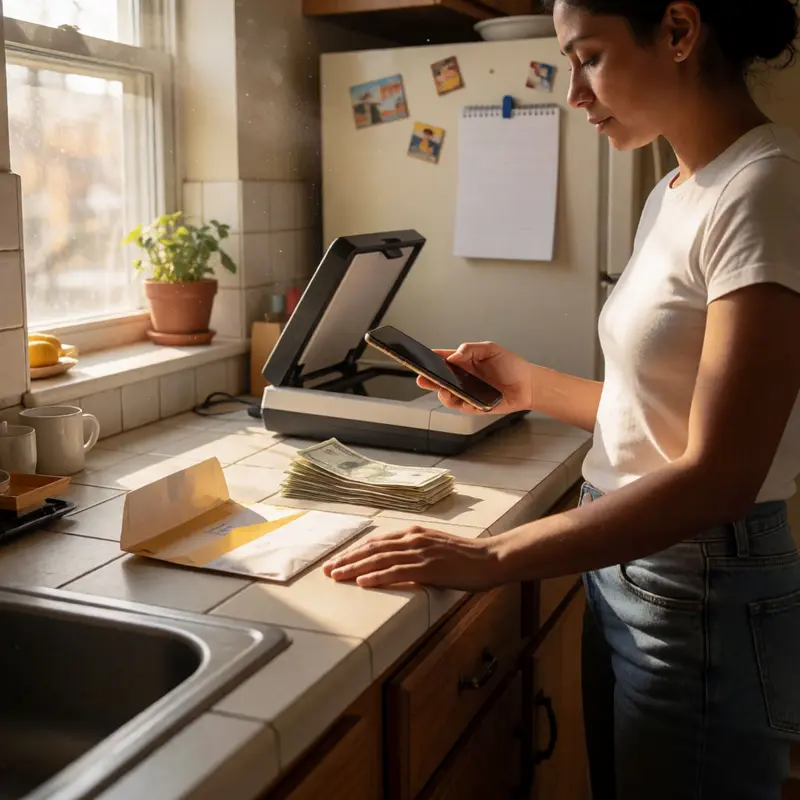
The lease renewal landed in your inbox as a scanned PDF, every page a flat image, unsearchable and uncopiable. You needed the clause about the security deposit. You scrolled, squinted, scrolled again, and eventually retyped the whole paragraph by hand into your notes. That two-minute job ate fifteen minutes, and it happens every time a landlord, letting agent, or utility company sends paperwork the way offices sent it in 1997.
OCR, optical character recognition, is the fix that most people know exists but never actually set up. The idea is simple: point a tool at a scanned image or a flat PDF and get back real, selectable, searchable text you can copy, paste, or ctrl-F your way through.
For anything you’re doing on a phone, two apps handle this well. ABBYY FineReader, PCMag’s top pick for professional OCR work, covers scanning with the camera, editing the extracted text, and exporting clean PDFs. QuickScan takes a similar approach and adds automatic language detection with dictionary matching for higher precision, which matters when a document mixes printed headings with handwritten notes, and it supports finger-drawn signatures for forms that need signing on the spot. Either one turns a photographed tenancy clause into text you can search in under a minute.
If you’re working at a desktop and dealing with a higher volume of paperwork, Microsoft’s Azure Document Intelligence offers a free tier worth trying. Its Read model pulls text from scanned PDFs, images, and even files like Word or PowerPoint, and it can embed that extracted text back into a scanned PDF so the document becomes permanently searchable. The studio interface currently won’t accept Word or Excel files directly, even though the underlying model handles them, so you’d route those through an API call or a compatible client rather than the browser tool.
The practical outcome is that a pile of flat, dead documents becomes a folder of searchable files. The lease clause you need is now one ctrl-F away.
2) Password manager: Kill reset emails with autofill

Searchable documents solve the retrieval problem, but credentials create a different kind of drag: the low-grade friction of forgotten passwords, reset emails, and the same weak password recycled across a dozen accounts because creating a new one every time is genuinely tedious.
A password manager collapses that entire category of chore into something close to zero. The core workflow is straightforward: the tool generates a strong, unique password for each account, stores it in an encrypted vault, and autofills your username and password when you return to that site. You never type a credential again, and you never reuse one because remembering it is no longer your job. Bitwarden extends this to secure notes, card numbers, and PINs, so the vault becomes a single place for anything sensitive that currently lives in a notes app or, worse, a spreadsheet.
After evaluating dozens of options across features, compatibility, security, and ease of use, Wirecutter settled on 1Password as its top pick. It runs $48 per year for one person or $72 per year for a household of up to five, which covers cross-device sync and the full feature set. Bitwarden is a credible free alternative if the annual fee is a sticking point, though its interface is less polished than 1Password’s.
The real-world benefit beyond convenience is the breach-detection layer: most managers scan your imported vault and flag passwords that are compromised, reused, or weak, turning what felt like a vague security worry into a concrete, actionable list. Switching from a browser’s built-in manager does require a one-time export-and-import pass, and that migration sits between you and the ongoing savings, but it’s a single afternoon rather than a recurring cost. Once the vault is populated, the tool handles every login silently, in the background, and the reset-email loop simply stops happening.
3) Digital wallet: Tap-to-pay, no cards or screenshots
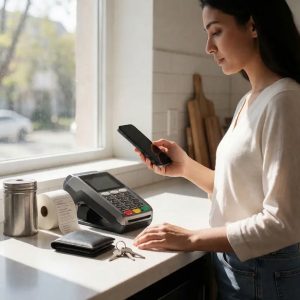
Payments are another place where physical objects create friction that a phone can quietly absorb. A digital wallet consolidates your payment cards, rewards memberships, loyalty passes, and event tickets into one place, so the moment you’re at a checkout or a transit gate you hold your phone near the reader, authorize with a glance or a fingerprint, and you’re done. Apple Pay has held the top reader-satisfaction rating among mobile payment methods for three consecutive years, and both it and Google Wallet carry Editors’ Choice recognition for working cleanly across in-person and online transactions. There’s no reaching for a card, no fumbling for the rewards card underneath it.
The stored-pass side is where the wallet earns its keep beyond payments. Boarding passes, gym memberships, and event tickets live there too, which means fewer screenshots hunting through your camera roll the night before a flight. A wallet can accumulate outdated passes and expired cards over time, though it does ask for occasional tidying rather than constant management: clearing a stale card takes seconds and leaves the thing genuinely useful rather than just theoretically tidy.
Receipts are the quieter half of this category, and they tend to go unmanaged until something breaks. An app like SlipSnap handles the capture side: point your camera at a paper receipt and its OCR reads the vendor, amount, date, and category without you entering any of it. The data exports as a PDF or CSV whenever you need a record, and warranty expiration dates attach to individual receipts so you’re not reconstructing purchase history from memory when something stops working.
Taken together, the payment side removes the friction at the moment of purchase, and the receipt side removes the friction that follows it. The pile of paper slips that used to migrate from pocket to counter to recycling bin simply stops accumulating.
4) Automation shortcut app: Collapse repeating admin into one tap

Payments and receipts create friction at discrete moments, but the admin that costs the most time tends to be the kind that recurs invisibly: the same sequence of taps every morning, the notification you always forward to another app, the reminder you set by hand every single week. That pattern is where automation earns its place.
Apple’s Shortcuts app is built precisely for this. It strings together actions across Calendar, Camera, Reminders, and hundreds of other apps, then makes the whole sequence available with a single tap on your Home Screen, a voice request to Siri, or a trigger that fires automatically when conditions are met. The gallery ships with thousands of pre-built shortcuts, which means you can install something useful without writing a single instruction from scratch. For cross-app work, moving data between services, routing a form response to a spreadsheet, or sending an email when a particular event fires, tools like Zapier handle the same principle at the level of web apps, letting you connect services that would otherwise require manual handoffs.
Building your first shortcut takes longer than doing the task once, so the payoff only materializes if the task actually repeats. Automate things that recur on a schedule or show up repeatedly at random: a morning status check, a weekly message to a landlord, a recurring bill reminder. Those are the tasks that quietly drain ten minutes across a week and never feel worth addressing individually until you do the arithmetic.
What changes when you address them is the removal of a specific kind of low-grade friction, the kind where you know exactly what you’re about to do, you’ve done it before, and you’re doing it again anyway. A dramatic reorganization of your day is the heavy overhaul of your whole routine, and the change from these tasks stays well below it. Collapse that sequence into one tap, and the time it reclaimed is genuinely yours, even if no single instance ever felt like much.
Final thoughts
A searchable PDF, an autofilled login, a wallet pass that appears when you need it, and a one-tap shortcut all do the same job: they move tiny admin from your head into tools that can carry it more reliably. Read together, that points to a useful standard for choosing tech at home. The best tools don’t add a layer. They remove a repeated decision.
That standard matters most when every app promises convenience and then asks for upkeep in return. Gadgets to reduce daily admin earn their place when setup is finite, the payoff keeps showing up, and the task stays smaller after the novelty wears off. That’s a modest goal. It’s also the kind that makes an ordinary Tuesday run with fewer petty delays.
Further reading


Leave a comment