
















No products in the cart.

Shop this story
Kindle vs reMarkable: Which cuts reading and noting overload?
by Anabel Figueroa
If you’re a burned out founder, reading can start to feel like eating healthy. You know it helps, but the pile never stops growing. The real sting is what happens after you close the book. In the Kindle vs reMarkable for note taking debate, the stress isn’t the device, it’s the gap between what you absorb and what you can actually use.
Most people buy tools to speed things up. That’s the trap. When your brain’s already running hot, “faster” can mean more intake and more loose ends. The right choice is the one that reduces the tax you pay every day, either in scattered thoughts you can’t corral or in friction that makes you stop capturing ideas at all.
User experience: How each device actually eases overload

Founders operating at scale know the feeling intimately: a half-finished book on the nightstand, a notebook stuffed with fragments that never became decisions, and a growing pile of ideas that dissolved before they could be acted on. The cognitive load is real, and it compounds. Choosing the right tool to manage reading and note-taking isn’t a productivity accessory decision; it’s a structural one that directly shapes how clearly you think.
The debate over Kindle vs reMarkable for note taking reveals a fundamental split in what “overload relief” actually means. Kindle is built around one thing: getting you into a book quickly and keeping friction low. That simplicity in accessing a library is genuinely powerful for founders who consume large volumes of text. Where it falls short is annotation. The capabilities feel inconsistent and shallow, adequate for highlighting a passage but insufficient for the kind of connected thinking that makes reading professionally useful.
reMarkable occupies a different space entirely. It’s designed for handwritten note-taking and sketching, workflows that Kindle never tried to serve. Founders who need to diagram a system, annotate a document with real margin depth, or connect ideas across pages find reMarkable’s environment deliberately distraction-free, supporting focused cognitive work rather than passive consumption.
The satisfaction gap between the two devices tracks directly to what users need from them.
Founders who lean heavily on annotation report lower satisfaction with Kindle, not because it fails as a reader, but because it was never designed to be more than one. reMarkable earns consistent praise in note-taking contexts precisely because it doesn’t try to do everything.
That distinction matters for how you experience overload. Kindle reduces the friction of reading itself, pulling you through material faster. reMarkable helps you cut decision fatigue around capturing and organizing thought, making the act of noting feel less like a secondary task and more like the primary one.
So the decision isn’t about which device is better in the abstract. It’s about diagnosing your bottleneck with some honesty. If your reading pile is the problem, Kindle moves it. If your ideas are the problem, scattered and never fully formed, the answer shifts considerably, and that shift becomes most visible when you examine how deeply each device can actually handle your notes.
Note-taking efficiency: When Kindle skims and reMarkable digs in

The gap between the two devices becomes tactile the moment you try to mark up a page with genuine intent. On Kindle, annotating text means navigating what the device calls its Active Canvas, a workaround that functions, at best, awkwardly. You can highlight a passage and type a short note beside it, but the experience resists the layered, associative thinking that makes annotations worth keeping. It’s annotation as filing, not annotation as thinking.
reMarkable takes the opposite position. Its writing surface is engineered to mimic paper, and direct page marking isn’t a feature toggle; it’s the entire premise, and there’s no toggle at all. You sketch in the margin, underline with a stylus, strike through a sentence, and write your revision beside it. The multi-tool annotation environment means you’re not switching modes. You’re just working, the same way you would with a pen and a physical book.
These differences reveal two fundamentally different philosophies about what note-taking is for. The contrast sharpens when you look at what each device actually optimizes:
- Kindle’s strength is breadth: its ecosystem integration keeps your highlights and typed notes organized across an entire library, making it easier to manage volume than depth.
- reMarkable’s strength is depth: it lets you annotate directly on the page with genuine physical granularity (pressure, stroke, position) that encourages you to develop an idea rather than merely tag it.
- Kindle’s Active Canvas creates friction at precisely the moment you want fluidity, which tends to discourage longer, more complex annotations in practice.
The synthesis here isn’t that one approach is superior. It’s that they serve different versions of the same problem. Kindle keeps your intellectual intake organized. reMarkable asks you to slow down and actually do something with what you’ve read.
This is the fault line in any honest Kindle vs reMarkable for note taking comparison: one device treats annotation as a byproduct of reading, while the other treats it as the whole point. If your notes are meant to be reference markers inside a large reading workflow, Kindle handles the volume. If they’re the beginning of something, a decision framework, a strategy draft, a synthesized argument, reMarkable gives you the surface to build it.
That distinction becomes consequential when you zoom out to what each device is fundamentally built to do well beyond annotation, and that question cuts straight to the difference between a reading tool and a writing tool.
Reading vs. writing: Choosing the tool your brain actually needs

A reading tool and a writing tool aren’t the same thing dressed in similar hardware, and that distinction matters more than either company’s marketing wants you to believe.
Kindle was built around consumption. Its entire architecture, from the store to the library integrations to the cloud sync, is oriented toward getting words into your eyes as efficiently as possible. Discovery is frictionless: you find a book, you own it in seconds, it lives alongside everything else you’ve collected. When you’re working through a dense reading list, that convenience compounds. Managing a large collection across titles and authors is something Kindle does quietly and well, which is exactly what you want from infrastructure you shouldn’t have to think about.
The reMarkable, by contrast, was designed for output. Its freeform handwriting engine isn’t a feature bolted onto a reading device; it’s the device’s central proposition. Where Kindle lets you highlight and type a note, reMarkable lets you annotate spatially, writing directly in margins, sketching connections between ideas, treating a page the way you’d treat a whiteboard. That difference in spatial freedom changes what kinds of thinking the device actually supports.
When you’re evaluating Kindle vs reMarkable for note taking, this architectural split is the crux of the decision. Kindle nudges you toward passive capture: a highlight here, a typed comment there. reMarkable nudges you toward active construction, where your handwriting follows your thought rather than constraining it to a comment box.
Neither posture is wrong. The problem is using the wrong tool for the wrong job, and you can only see that clearly once you’ve named what each device actually optimizes for.
It’s worth noting: the Kindle Scribe Colorsoft ships with a stylus included, which makes the annotation argument more competitive than it used to be for readers who want occasional handwriting without paying separately for the capability. But included hardware doesn’t close the gap in how natural each device makes the act of capturing a thought in the moment you have it.
For a burned-out founder, this isn’t a gadget debate. It’s a decision about where your energy leaks: at the intake stage, or at the moment you try to turn what you read into something you can actually use.
Workflow integration: One device protects focus, one accelerates flow

Picture the moment you finish a paragraph that actually matters: a competitor analysis, a framework you’ve been circling for weeks, something that reframes a decision you’ve been sitting with. Your instinct is to capture it immediately, before the next meeting or notification dissolves it. What happens next is where the two devices diverge completely, and where workflow integration either earns its cost or quietly drains yours.
Kindle Scribe stays inside Amazon’s ecosystem, and that containment is both its discipline and its design. Notes attach to the text you’re reading, AI-powered search surfaces them later, and export pipelines to Google Drive and OneNote mean your captures land where your team already works. For a reader who moves fast, this removes a friction most people don’t even notice they’re carrying: the friction of translation, of moving a thought from device to system.
The reMarkable takes the opposite stance. It doesn’t try to integrate; it tries to eliminate. The paper-like writing surface isn’t just a feature preference, it’s a philosophy. Writing on it feels physically removed from the pull of notifications, apps, and the ambient noise of connected devices. That removal is the workflow. Distraction minimization, on reMarkable, is achieved through subtraction rather than through smarter routing.
The difference becomes practical when you think about where your captured notes actually need to go. If you read and annotate with the intention of acting on those notes inside existing tools, Kindle’s pipeline shortens the path. Writing speeds 40% faster than previous Scribe generations mean annotation stops feeling like a detour. A battery life that stretches to 12 weeks means the device is simply always there, never dead weight when you reach for it.
But faster doesn’t mean better if your real problem is attention, not throughput. The question of Kindle vs reMarkable for note taking ultimately turns on what’s costing you more: the friction of moving notes downstream, or the friction of staying focused long enough to take them in the first place. One device solves for output; the other protects the input. Recognizing which leak matters more is less a gadget preference and more a diagnostic about how your thinking holds together under pressure.
Display sharpness matters for sustained reading, and both devices deliver it, but the more telling story is what each platform makes easy once you’ve underlined the sentence that changed your mind. Next, we’ll look at what the hardware enables on each device, and where it introduces its own new complications, to get clearer on the next layer of the tradeoff.
Technological innovations: Where reading ease clashes with thinking depth
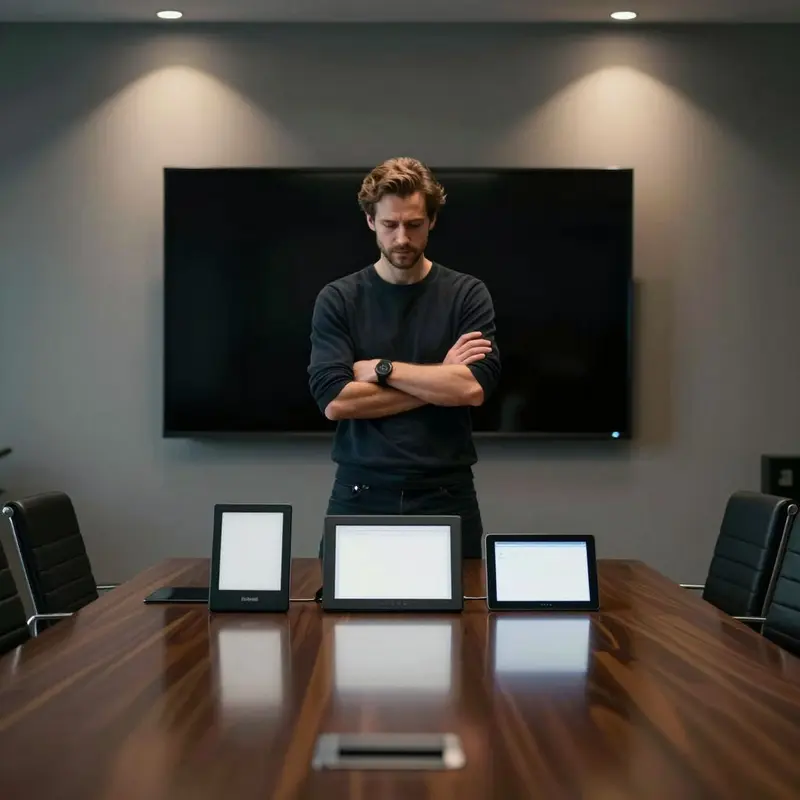
You pick up the Kindle Scribe Colorsoft and the first thing it shows you is your library. Hundreds of titles, instantly accessible, with the Kindle Store a single tap away if you want another. You pick up the reMarkable Paper Pro and the first thing it shows you is a blank page.
That contrast isn’t cosmetic. It’s a design philosophy expressed in a single interface decision, and it tells you almost everything you need to know about where each device puts its priorities.
Kindle’s ecosystem strength is real and worth taking seriously. The on-device store means your library grows without a separate device, a separate workflow, or a separate purchase decision. For lighter annotation, flagging passages, dropping a short thought beneath a sentence, the experience is genuinely frictionless. The problem is that the annotation layer sits on top of a reading experience rather than underneath a writing one, and that ordering shapes what you actually do with it.
The reMarkable Paper Pro inverts that logic completely. Its screen is built to produce a writing feel that Kindle’s surface doesn’t try to match, and the difference registers within the first few strokes. The deliberate absence of connectivity isn’t a limitation so much as an environment: no store, no ambient pull, nothing competing with the page in front of you. For any thinking that requires genuine depth, that stripped-down context is the point.
This is where the Kindle vs reMarkable for note taking comparison becomes most clarifying. Both devices reduce the friction of reading on a screen. Only one of them reduces the friction of thinking on paper.
The friction each device introduces is equally instructive. Kindle’s ecosystem ties your annotations to Amazon’s infrastructure, which creates real effort when you need your notes somewhere else. reMarkable’s isolation, which makes deep writing possible, also makes cross-referencing harder when research is the task. Neither friction is fatal, and both are predictable once you’ve named them.
Instead of counting rough edges, map them to your week. If the friction sits inside your core workflow, you’ll barely notice it. If it cuts across it, you’ll pay for it every day, and that bill gets obvious once you’re honest about how your actual working hours break down.
Strategic decision matrix: Choosing between volume and depth overload

It’s late in the workday. Your annotations from the morning are spread across three different surfaces, none of them talking to each other, and the question isn’t which tool is better-designed. It’s which type of overload you’re actually trying to solve.
The distinction between these two devices is precise, and it runs deeper than a feature comparison. Kindle manages the volume problem: a sprawling library, broad ecosystem access, and content-management infrastructure that removes logistical friction so you’re not burning attention on locating what you need. reMarkable manages the depth problem: direct annotation on the page, a handwriting-driven workflow, and a deliberately spare environment that lowers cognitive load at the exact moment of thinking. These aren’t competing tools so much as tools with non-overlapping jobs.
Which makes the Kindle vs reMarkable for note taking comparison less about specs and more about where your overload originates. Three questions cut through the noise fast:
- If your primary friction is what to read and how to access it, Kindle’s library infrastructure and stronger display performance solve the problem at the source, keeping a book-centric workflow low-maintenance by design.
- If your primary friction is how to think clearly while reading, reMarkable’s paper-feel annotation and distraction-minimizing surface address the problem at the point of contact, not around it.
- If both frictions are real and present, the question shifts to which one is costing you more in a given week, because one device can’t absorb both problems without compromising on each.
What no feature comparison will surface: these tools are superior in specific contexts, and your context is the entire leverage point.
You can sharpen the decision further by tracing where your notes actually go. If annotations feed a downstream research process, Kindle’s ecosystem keeps that pipeline fluid and low-friction. If your notes are the thinking rather than the input to further thinking, reMarkable’s direct-on-page loop keeps the output clean and the process uninterrupted.
Owning the wrong tool for your specific overload isn’t a minor inconvenience. It’s a daily tax on the work that matters most, paid quietly, in the hours you can least afford to lose.
Final thoughts
The most useful insight isn’t that one device wins. It’s that overload has two price tags, and you can’t pay both with the same workflow. One cost shows up as too much to read and too little time. The other shows up as unreadable notes and unfinished thinking.
Treat it like fixing a leak, not buying a perk. Pick the tool that protects the part of your week where your attention collapses first, then let everything else be “good enough.” Once you see that, Kindle vs reMarkable for note taking stops being a spec fight and becomes a boundary you set around your mind. That boundary is where clearer decisions start.
Further reading


Leave a comment