












No products in the cart.

Shop this story
Inside the new control stack race for lifestyle optimizers
by Anabel Figueroa
You already know how to optimize sleep scores, structure deep work blocks, and automate inbox triage, yet your days can still feel strangely heavy. The real tension sits in the invisible control stack that runs your life, the mix of notebooks, wearables, apps, and AI that quietly dictates what you see, when you see it, and how hard your brain has to work just to stay on top of things. The contest is no longer between one perfect app and one perfect routine, it is between systems that drain cognitive bandwidth and systems that return it. At the heart of that contest sits the ongoing analog vs digital productivity debate, not as an aesthetic preference, but as a practical question of mental load and control.
What you build around yourself now will decide whether the coming wave of automation amplifies your clarity or buries it. This piece walks through how cognitive load, stack adaptability, user experience, and environmental design interact to shape your real, lived productivity, not just your dashboard metrics. You will see how hybrid stacks that blend paper and pixels can bend with life changes, how user experience can create a near invisible flow while keeping you firmly in charge, and how rooms themselves can act as separate control layers for your attention. Finally, you will look ahead to a near future in which AI saturated tools respond to you in real time, and your main advantage comes from how deliberately you choreograph every layer of your control stack.
Efficiency metrics: How cognitive load really shapes your day

Efficiency for lifestyle optimizers is no longer about cramming more tasks into less time. It’s about stripping away the invisible mental drag that quietly makes every single task feel heavier than it should.
You live inside a growing stack of tools, dashboards, and AI helpers. On paper that should make you unstoppable. In practice, cognitive complexity has exploded, because every new tool adds more micro-decisions, more configuration, and more priorities to juggle. The volume of your workload might not have changed much, yet your brain is processing far more choices per hour than it used to.
That is why cognitive load has become the core efficiency metric, not just a nice-to-have idea for productivity nerds. Organizations now judge systems by how much mental bandwidth they free up, not just how fast they push work out the door. The best tools do a few very specific things. They reduce context switching. They collapse choices into clear defaults. They keep you in a single mental “mode” for longer stretches, so your focus does not keep starting from zero.
A useful way to think about modern efficiency is to track three families of signals. When you pay attention to these, your system gets way easier to optimize:
- Cognitive signals such as mental effort, context switching, and the feeling of being overloaded by options. Are you constantly weighing tiny decisions and second-guessing yourself? Do you feel like your brain is buzzing even when the actual work looks simple?
- Behavioral signals such as how often you abandon tasks, bounce between apps, or need to re-read the same item to understand it. Do half-finished tabs and half-written notes follow you through the day? Do simple instructions suddenly feel confusing?
- Recovery signals such as the quality of your rest cycles and how quickly your focus returns after breaks. Do you come back from a short pause feeling clear, or does it take 15 minutes just to remember what you were doing?
Taken together, these create a far richer picture of productivity than time and output alone. They explain why cognitive fatigue is now recognized as a dominant problem, even among people who are technically working fewer hours than before. Your calendar might look lighter, while your brain quietly feels overloaded.
This shift also reframes the analog vs digital productivity debate. A simple notebook might win for cognitive clarity, because it gives you one place to think and almost no decisions to make about formatting, filters, or views. A smart dashboard might win for automation, because it takes repetitive actions off your plate. The real question is not which camp you are in. The real question is which setup reduces your total cognitive load across the entire day, especially when you are choosing among various remote work productivity tools.
AI sits right in the middle of this new tension. It can dramatically reduce execution load by drafting, summarizing, or organizing for you so you are not doing all the raw typing and sorting yourself. At the same time, it can increase comparison and learning load as you evaluate prompts, settings, and overlapping agents. A powerful AI dashboard might feel impressive and even fun to tweak, while quietly taxing your attention with endless options and experiments.
To keep your system honest, treat cognitive load as a UX metric. If a tool looks feature rich but leaves you mentally foggy, it is failing you, no matter how many automations it supports or how smart it looks in a demo. If a workflow lets you move through tasks with a sense of ease and clear next steps, that is a sign the underlying design is protecting your attention.
You can start acting on this today. Take 20 to 30 minutes and audit your current stack. For each app, notebook, dashboard, or AI agent, ask a simple question: “Does this reduce or increase my mental bookkeeping?” Anything that adds more checking, comparing, or remembering than it removes is a candidate for simplification or removal. If you feel a tiny spike of tension every time you open it, pay attention to that.
Here is the key insight. Sustainable efficiency now comes from lowering cognitive friction, not from pushing your brain harder. As you move forward, the challenge becomes building a system that can adapt over time without reintroducing the very complexity you are trying to avoid. That question, how to design a stack that stays flexible without becoming chaotic again, leads directly into the topic of hybrid integration and adaptability in your lifestyle optimization stack.
Adaptability: Hybrid stacks that bend, not break

You just saw how cutting unnecessary friction usually beats trying to force more discipline. So the real question now is simple. How do you build a setup that bends with your life instead of snapping every time your priorities shift?
The answer is hybrid integration. Instead of betting everything on one app, one gadget, or one coaching program, you treat your lifestyle system as a multi-layer control stack. You combine wearables, apps, AI agents, and when it actually helps, human coaching. Each layer does what it’s best at. Together, they give you one coherent way to see your behavior and steer it on purpose.
To make that work in real life, you need a modular stack philosophy. Think of your calendar, task manager, health tracker, and coaching tools as separate services that can still plug into a single control plane. You set them up so they talk to each other instead of living in silos.
You do that with APIs, standard data formats, and exportable data. Those give your information a way to move between tools instead of getting trapped inside one app. When a tool stops serving you, you can swap it out without losing your history, your patterns, or your sense of progress.
On the other end of the spectrum, you’ve got the closed-stack philosophy. Everything sits inside one tightly integrated platform. That can feel incredibly cohesive and simple. You get one login, one design language, one place to look.
There’s a cost though. The tradeoff is heavier platform lock-in. When your needs evolve, moving away slows down and starts to feel painful, because your data and workflows are deeply tied to that single environment.
This is where Micro-SaaS and stack helpers start to shine. These are small, focused products that live in the spaces between your main tools. They clean your data, connect your systems, or analyze your patterns with low overhead and low commitment.
Because they give you fast analysis and quick wins without forcing you to rebuild your entire world, they create room for experimentation. You get to test improvements, try new flows, and run small experiments instead of gambling on a total rebuild of your stack.
The real test of your setup doesn’t happen on a perfect week. Anyone can feel organized when nothing goes wrong. The real test shows up when you move cities, change roles at work, have a kid, or shift your training goals.
That’s where adaptability and stack resilience matter. A resilient system can absorb those transitions with edits, not full resets. You tweak tools, adjust routines, and maybe swap layers, but you don’t have to burn everything down and start from zero.
One practical way to build that kind of resilience is to mix analog vs digital productivity habits inside the same hybrid stack. For example, you might capture your thoughts and plan your week on paper during weekly reviews. Then you feed only the essentials into your digital control plane.
The analog layer gives you clarity, perspective, and reflection. You think more slowly. You see the big picture. The digital layer takes over for tracking, reminders, automation, and pattern recognition. You let software remember so your brain can decide.
As you refine your own hybrid integration, keep returning to one simple question. Could I change this tool or habit without collapsing the entire stack?
If the answer is yes, you’re moving toward a resilient system that can keep evolving with you. If the answer is no, that’s a signal. Something is over-attached or too tightly coupled.
Build for change. That kind of foundation lets you think deliberately about user experience next, so you can design a setup that supports intense focus without losing the flexibility your real life actually demands, and you can deepen your understanding by exploring thishybrid integration control stack in practice.
User experience: Balancing invisible flow with on-demand control

Your control stack is roughed in now. This is exactly the moment when user experience starts to matter more than the tools themselves.
If you’re a lifestyle optimizer, your frontier has shifted. It’s not about squeezing in more tasks anymore. It’s about protecting energy, clarity, and mental endurance so you can put your best attention where it actually counts. That means you need a UX that feels almost invisible while you’re in motion, yet still lets you grab the wheel instantly when life doesn’t go to plan.
Start thinking about focus as a stable channel instead of a rare peak state. Current wellness and productivity thinking is drifting in the same direction. Forecasts for the next few years put circadian health, sleep depth, and hormonal balance right at the center of performance. Your control stack should reflect that. The experience should make it easy to:
- Protect deep work blocks.
- Respect your sleep data instead of ignoring it.
- Avoid last minute spikes in stress.
In practice, you’re designing for low friction and high clarity. Your system should surface only what matters for this specific moment, then quietly get out of your way. At the same time, it still needs to give you enough control points so you can adapt when your kid gets sick, a flight shifts, or your energy suddenly drops.
Here’s a simple rule you can use. Give yourself fine grained manual control when the stakes are high, and let AI handle the rest. For example, you might directly lock in your most important creative block, your training session, and your bedtime window. Then you let AI reshuffle shallow email, errands, and admin tasks around those anchors, based on live data from sleep and stress.
This is where the analog vs digital productivity debate finally becomes practical instead of ideological. Analog tools like a paper planner can be perfect for protecting a few sacred commitments and giving you a calm, at a glance picture of the day. Digital tools, especially those powered by AI, are better for continuous, behind the scenes schedule adjustments that respond to your recovery and load.
The key is to make the experience of this hybrid control feel coherent. You want one clear view that shows:
- What’s non negotiable.
- What’s flexible.
- What the system is actively optimizing in the background.
That level of clarity builds confidence. It also strips away the micro anxiety that comes from quietly wondering what you forgot.
Pause for a moment and imagine how you want your setup to feel on a good day. You move from block to block without hunting through a pile of apps. Your schedule reflects your sleep and stress instead of fighting against them. When things change, you tweak a few high impact inputs and let the rest of the day realign itself.
Once you define that target feeling, you can start shaping the world around your stack to reinforce it. You can ask yourself simple questions. What do I want my desk to signal? How should my bedroom lighting support my sleep data? Where do I want analog, and where do I want AI?
From there, the next step is straightforward. Translate this balance of focus and flexibility into your physical environment, drawing on a broadermindful self-optimization guide to keep your systems aligned with your well-being. Design your spaces so they quietly support the way you want to work, recover, and live day to day.
Environmental design: Comparing analog focus to digital pull

You already started turning inner balance into something you can see and touch around you. Now it’s time to make your physical spaces work just as hard for your focus as your apps, systems, and tools do.
Look around your home for a second. In a typical place, you might have 18 or more connected devices within arm’s reach. Many homes sit closer to 40. Every screen, speaker, and sensor is a tiny tug on your attention, and this rapid growth in connected devices only amplifies the need for intentional environmental design. Environmental design is really the practice of deciding which of those tugs you invite into your productive zone and which ones you push to the outer edges.
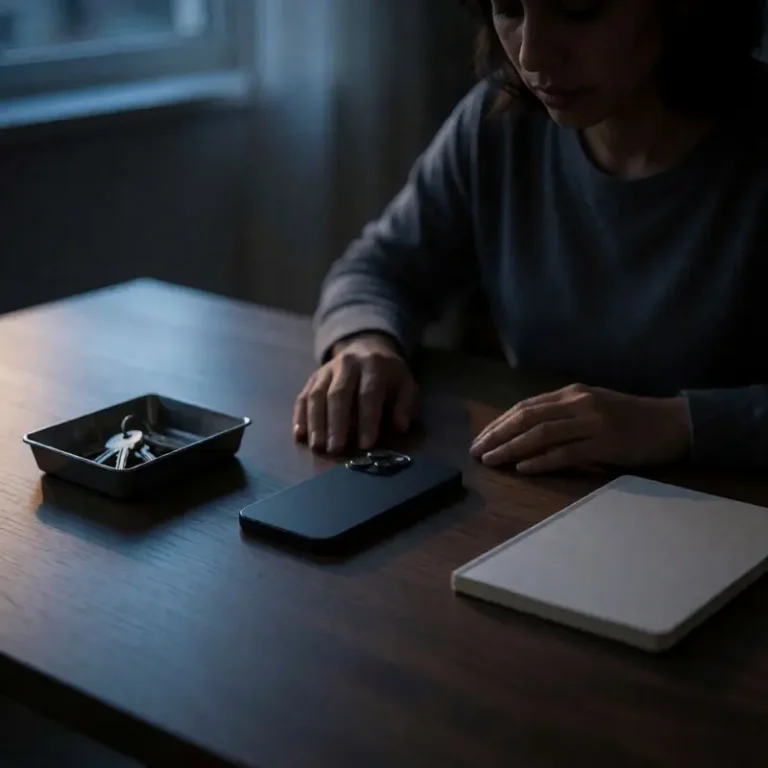
So where do you actually hold the power, and where do your devices quietly run the show? Start by choosing where you own the control stack and where your devices effectively own it. In a productivity focused space, you decide what turns on, when it comes on, and for what purpose it exists. That might look like a laptop and a single display in your main work zone, with notifications tightly constrained and only essential apps active.
It might also mean that AI rich devices from a hardware market of roughly USD 42.97B in 2023 stay outside that primary zone unless they have a very clear, deliberate role in your workflow. If a device does not support the block of work you’re in, it waits somewhere else.
Here is one simple, practical way to design intentional zones around analog vs digital productivity:
- Deep work zone. Default to analog tools such as a notebook, printed brief, or physical planning sheet, and allow only the digital devices you truly need for the current block of work.
- Execution zone. Let digital devices fully in. This is where you batch communication, clear your inbox, automate tasks, and lean on connected hardware to speed things up.
- Recovery zone. Keep connected devices minimal or completely out of sight so your body associates this space with rest, not alerts and pings.
The goal is not to demonize devices or pretend you do not need them. The point is to deliberately architect where they live and when they earn your attention. When you start to see your rooms as separate control stacks with different rules, you’re ready to evaluate how the next wave of productivity tools in 2026 can enhance these spaces instead of overrunning them. What will you change first?
Future outlook: Where your control stack trains the tools

You just walked through the idea of rooms as separate control stacks, each one with its own rules for attention. Now zoom out to 2026. The tools sitting inside those stacks are going to get dramatically smarter, so the real question shifts. How will you train them to serve your rules instead of quietly rewriting them?
Start by recognizing the sheer scale of what’s coming. The global “AI productivity tools” market is valued at USD 8.9 billion in 2025 and is projected to reach USD 34.99 billion by 2034 at a CAGR of 16.0%. That kind of growth means you won’t just see more AI as an add-on feature. You’ll see more default AI wired into every calendar, notebook app, and browser tab you touch, accelerating a broader wave of AI-powered personal productivity.
By 2026, three trends will shape your daily experience most directly:
- Virtual assistants become your primary interface. They already command the largest revenue share at 34.15% of the AI productivity tools market in 2025. So expect them to sit in the middle of your tasks, messages, and meetings, catching inputs, making suggestions, and quietly steering what you pay attention to first.
- AI meeting assistants become unavoidable. This market is projected to grow from USD 2.22 billion in 2023 to USD 17.26 billion by 2032 at a CAGR of 25.6%. That growth means more auto-summaries, action-item extraction, and real-time nudges during calls. You’ll finish a meeting and already have the recap, the follow-ups, and the next steps organized before you even stand up.
- Platforms consolidate your stack. Modern productivity platforms are pulling more features into fewer hubs to solve organizational pain points. You’ll switch apps less, which reduces context switching and mental friction, but it also concentrates power inside whichever tools you allow into your day.
In practice, your control stack will start to feel less like a random mix of apps and more like a nervous system. Signals will move through it in real time. Advanced analytics and machine learning will surface real-time productivity insights and optimization suggestions. Automated tools will use live data to help teams become more agile, more responsive, and more aware of where their time is actually going.
Your edge won’t come from simply piling on more AI. It’ll come from how you choreograph analog vs digital productivity inside each room and each role in your life. Where does digital shine for you? Use digital tools for what they do best, such as real-time analysis, automation, capturing details, and handling repeatable workflows. Then, deliberately protect analog rituals for deep thinking, prioritization, planning, and recovery. Pen and paper, whiteboards, offline walks, uninterrupted time blocks. Those are still powerful.
So what does that mean for 2026 in plain terms? AI productivity tools will expand quickly and embed themselves into every layer of your control stack. They’ll sit in your calendar, your documents, your task managers, and your communications tools. Your job is to define the boundaries. You choose where automation is welcome, where you want suggestions, and where you want silence. Most importantly, you keep your highest-value attention anchored to the work only you can do: decisions, creativity, judgment, and the kind of thinking no tool can truly replace.
Final thoughts
Throughout this journey, a clear pattern emerges. The most effective lifestyle systems do not chase maximal output at any cost, they minimize cognitive friction so that your best attention lands where it matters. That shift runs through every layer, from how you balance analog notes with digital trackers, to how modular your tools remain when life pivots, to how each room signals whether it is time for focus, execution, or recovery. As AI and integrated platforms grow more powerful, your real lever is how you shape these elements into a single, coherent control stack that serves your rules instead of quietly rewriting them.
The opportunity now is to treat analog vs digital productivity as a design choice, not a personality test. You can assign paper, screens, agents, and devices very specific jobs, then tune your spaces and workflows so they protect your energy instead of scattering it. Start with one small audit of your current stack, one room, or one daily ritual, and decide what truly earns a place in your control plane. The tools will keep evolving fast; the question is whether you let them steer by default, or turn them into a nervous system that amplifies your judgment, creativity, and long term direction.
Ready to upgrade your everyday life with smarter choices and inspired living? Contact OnInitiative.com ([email protected]) today and let our experts help you design a lifestyle that aligns with your goals and values!
About us
OnInitiative.com is a digital innovation partner that empowers professionals and organizations to design smarter, more fulfilling lifestyles. Through custom software solutions, productivity tools, and travel-tech integrations, we help people reclaim time, reduce stress, and make the most of every moment, whether at work, home, or on the road.
Further reading

Leave a comment